
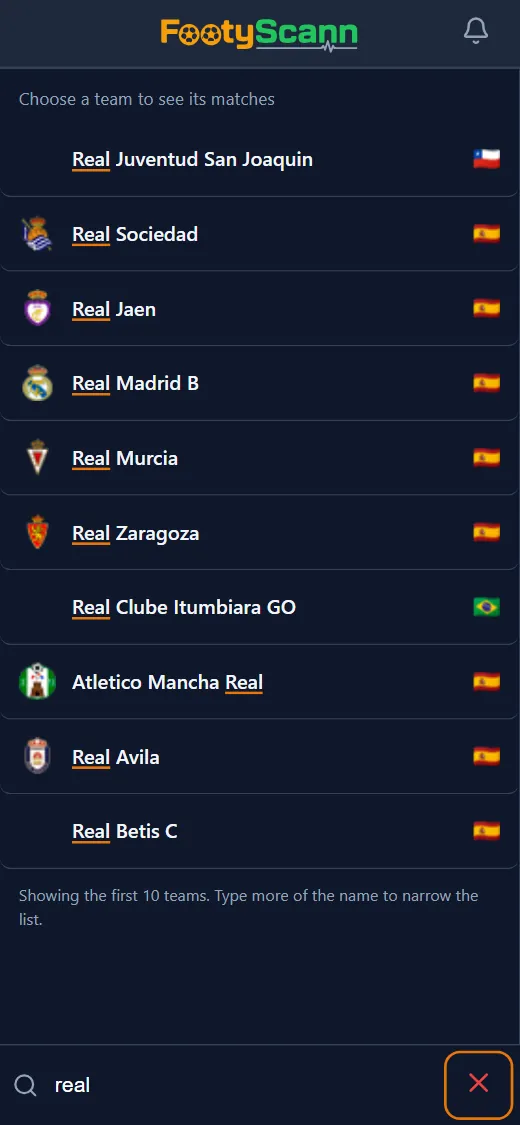
How to search
Open Search and type the team’s name. From the third letter, a list of matching teams appears with their crest and country flag, and it narrows with every letter. Accents and punctuation don’t matter: “Sao Paulo” finds “São Paulo”. Words match in any order, and country names in Romanian, Spanish or Italian also find national teams, which the provider lists in English.
The search matches team names, not league names. Pick the team from the list, with a tap or with the arrow keys and Enter, and its matches appear.
What you get
Once you pick a team, its matches are split into sections:
- Live matches: if the team is playing now, its live card with the score and stats;
- Upcoming matches: the team’s fixtures for the coming days, with form stats;
- Recent results: matches finished in the last week;
- Archive: on request, with the Search the archive too button, older matches, with the year in the date.
Open any match you find
Any result opens with a tap in the match panel, just like in the regular lists: a live match with real-time stats, an upcoming one with both teams’ form and history, a finished one with the final result and stats.
To see every match in a country, Results has its own search: the magnifier on the country list suggests countries from the third letter, with the number of matches on the chosen day, by their name in the app language or in English.