
How it works
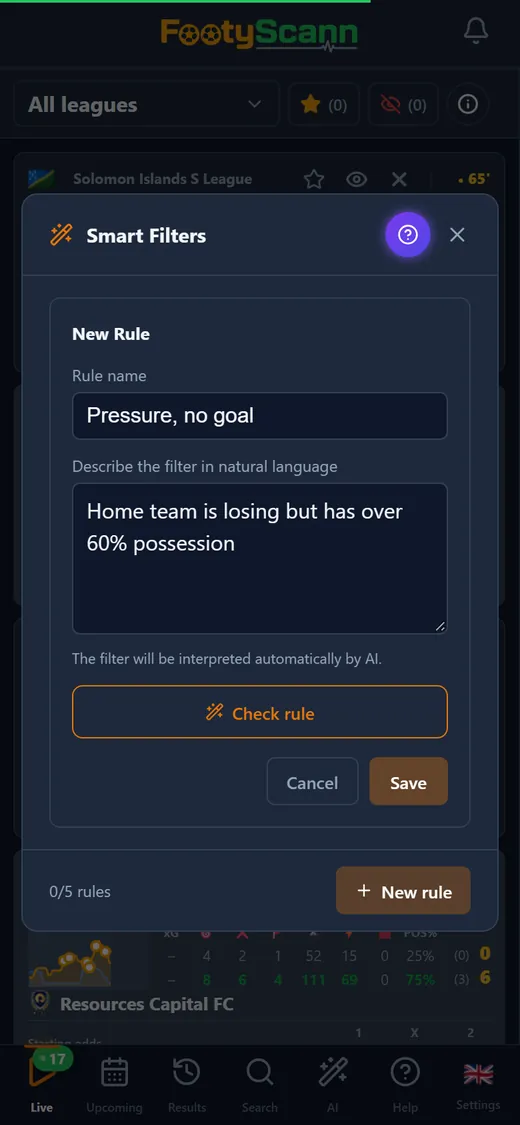
Open Smart Filters, give your rule a name and describe it in your own words. The AI reads the description and turns it into precise conditions: minute, score, corners, shots, odds, events within a range of minutes, or the teams' recent history. The filter then runs on the live list and leaves only the matches that meet it.
Before saving, tap “Check rule” to see what the AI understood, condition by condition, and how many live matches match right now. If part of the description can't be evaluated, the app tells you exactly which part instead of quietly dropping it.
Example rules
You can combine as many conditions as you like in one description. A few you can type as they are:
- Minute greater than 75 and total corners greater than 7
- At least 3 shots on target in the last 5 minutes
- Goal between minutes 1 and 30
- Home team losing but with more than 60% possession
Several rules, one switched on
Save several rules and switch on the one you need with a tap; a second tap turns it off. The rule is applied on every refresh of the live list, so a match appears in the filter as soon as it meets the rule and drops out when it no longer does.
The AI is used only to understand your description. The filtering itself runs on the live stats, according to your conditions.