
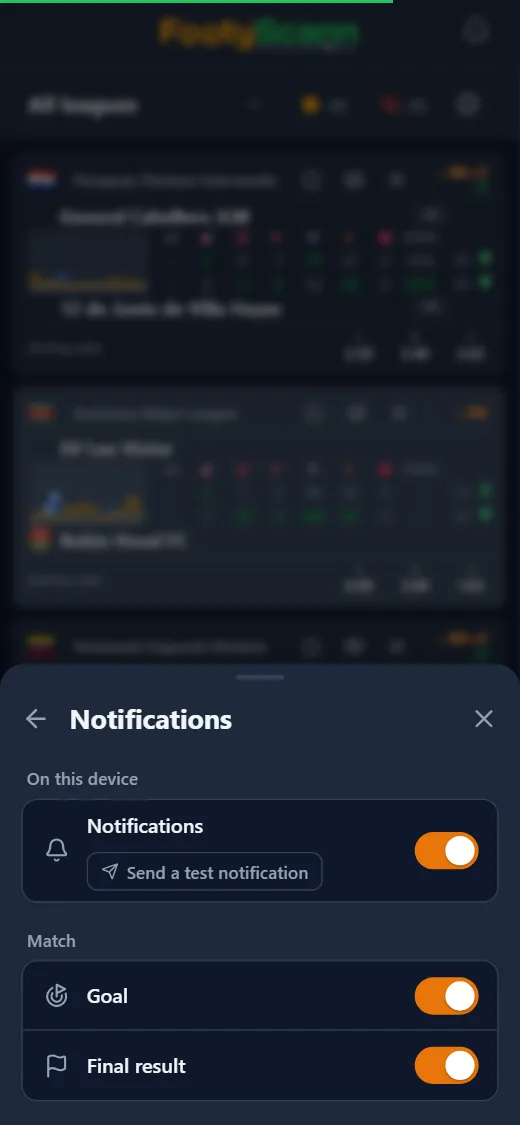
How it works
Every match has a star, in the list and in the match panel. A starred match becomes a favourite. For your favourites, FootyScann sends a notification for every goal and another one with the final result.
A goal alert shows the teams in the title, the new score with the scoring side highlighted, and the minute of the goal. When a match has several goals, the new alert replaces the old one, so you always see the current score instead of a stack of alerts. Tapping the notification opens the match in the app. The full-time alert carries the result and, for matches settled on penalties, the shoot-out score too.
How to turn them on
These are native notifications: they show up like any other notification on your screen, with no SMS, no email and no extra app.
- Open Settings, then Notifications, and switch them on for the device you're using; your browser asks for permission once.
- Choose what you want to receive: goals, final result, or both.
- Send a test notification to check that it arrives.
Set up per device
Notifications are switched on per device, so you can have them on your phone without getting them on your work laptop. On iPhone, web notifications work once FootyScann is added to the Home Screen (iOS 16.4 or later).
They're handy when you follow several matches at once: star the ones you care about and come back to a match only when something happens.